










Document signing tools, also known as eSignature software, allow businesses to send, sign, track, and store legally binding digital documents without printing, scanning, or emailing files. These platforms replace manual paperwork with secure, auditable workflows that move contracts, HR forms, and legal agreements faster and with less risk.
Unlike basic PDF editors or image-based signatures, document signing tools create a verifiable digital trail. Every action is recorded, including who signed, when, where it was accessed, and whether the document was changed. This audit trail is what makes electronic signatures legally enforceable under regulations such as ESIGN, UETA, and eIDAS.
For SMEs, legal teams, and procurement departments, document signing software is no longer optional. It is part of how deals are closed, how employees are onboarded, and how compliance is maintained.
Why Document Signing Tools Matter for Business Operations
In modern organisations, signatures are not an administrative step. They are a control point in revenue, risk, and compliance. Every delayed contract delays revenue. Every misplaced document increases legal exposure. Every unclear approval creates operational friction.
Document signing platforms centralise this process. They enforce the signing order, prevent unauthorised changes, and provide proof that agreements were executed correctly. They also integrate with cloud storage, CRM systems, and internal workflows, so documents move within the systems teams already use.
For sales teams, this means deals close faster.
For HR, onboarding becomes repeatable.
For legal and procurement compliance, measurable outcomes become possible.
Key Benefits of Using Document Signing Tools
- Faster contract execution
- Legally binding electronic signatures
- Built-in audit trails
- Secure document storage
- Mobile and remote signing
- Automated reminders and routing
- Reusable templates for recurring documents
- Reduced operational and legal risk
1. DocuSign
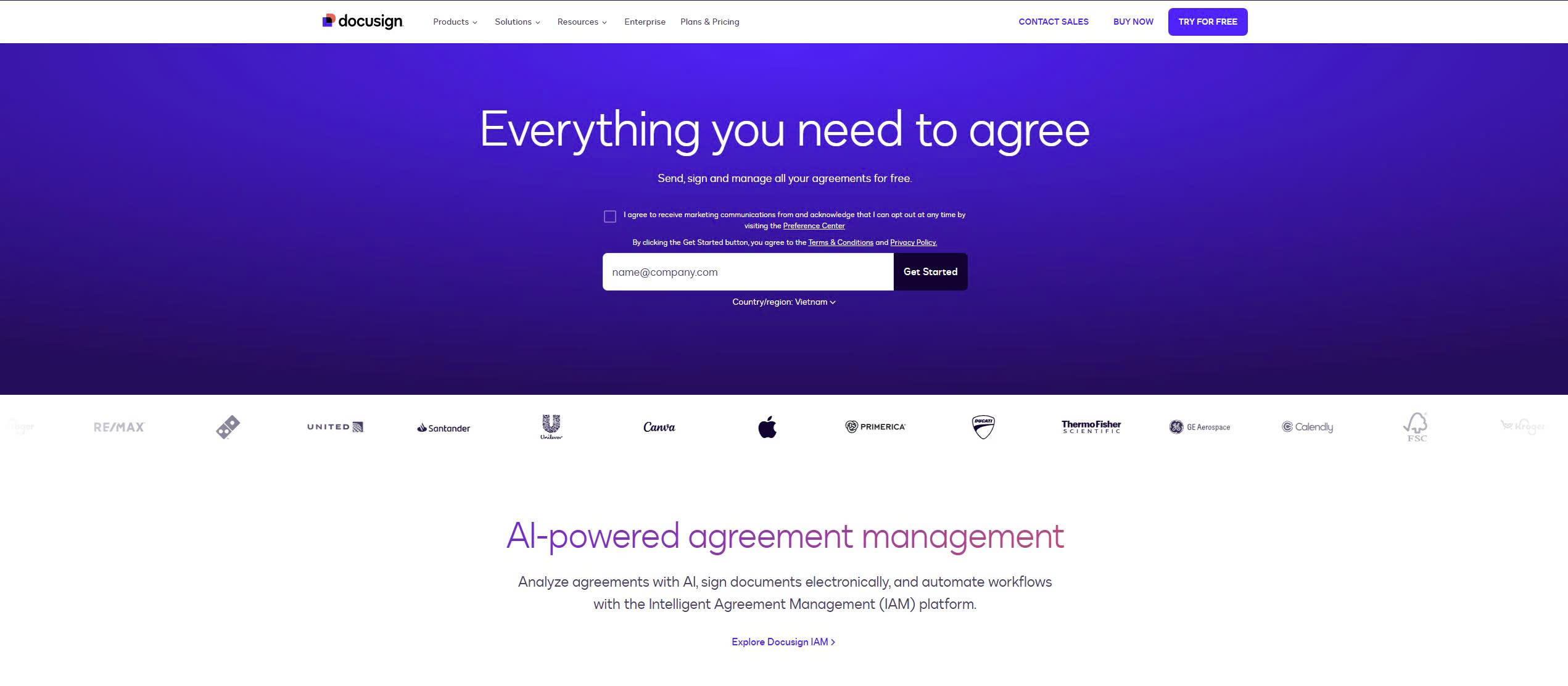
DocuSign is the industry standard for high-volume, regulated, and enterprise-grade document signing. It is designed for organisations that need full compliance, detailed audit trails, and complex signing workflows across multiple departments and regions.
It is widely used in finance, legal, real estate, and procurement environments where agreements must be defensible and traceable.
Core Features
- Multi-party signing workflows
- Detailed audit trails
- Identity verification
- Templates and reusable envelopes
- API and enterprise integrations
Pricing and Suitability
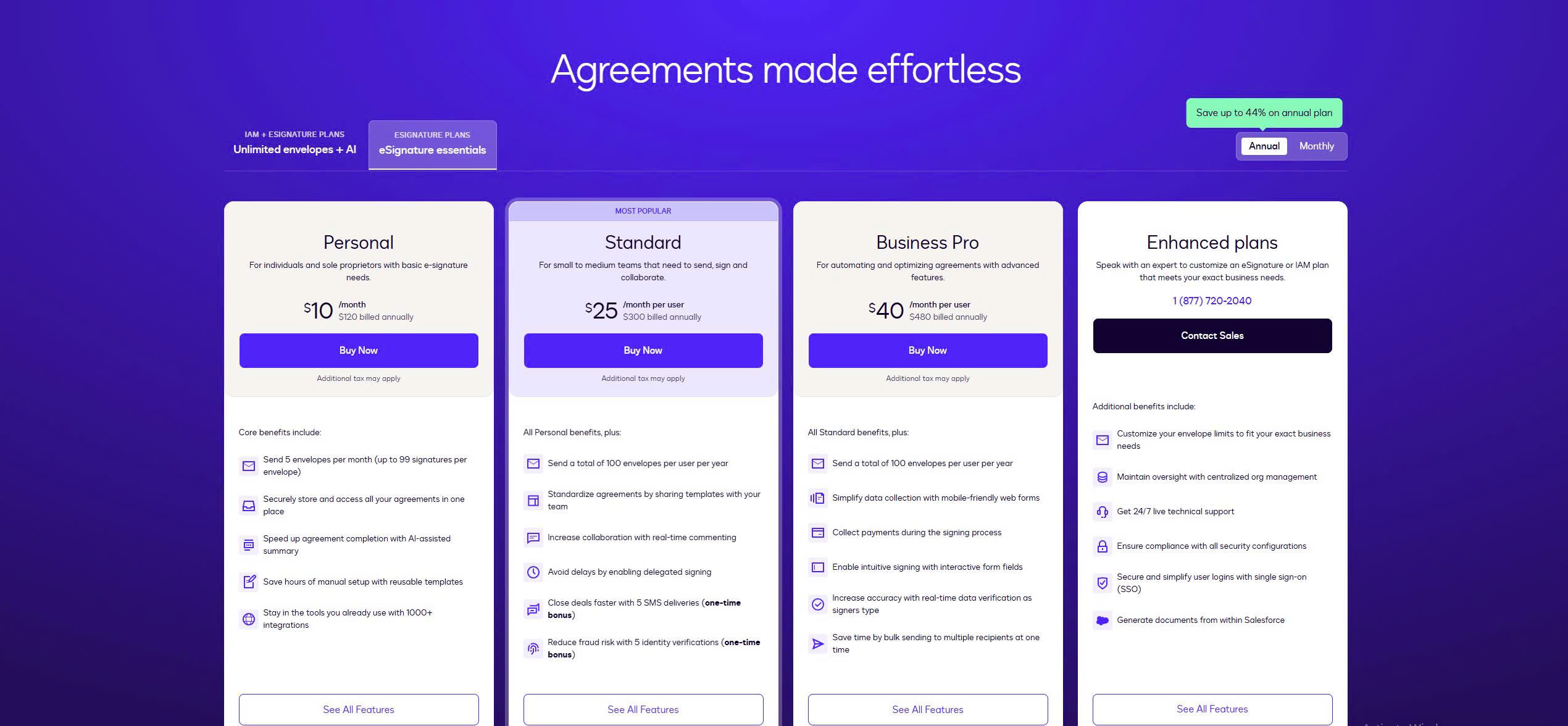
DocuSign uses a tiered, per-user pricing model that scales with usage volume, workflow complexity, and compliance requirements. Entry-level plans are designed for individuals and small teams but include strict limits on envelopes and advanced features. As organisations move into Business Pro and Enterprise tiers, costs increase quickly to unlock APIs, advanced authentication, and administrative controls. This pricing structure makes DocuSign most suitable for teams that prioritise compliance, auditability, and scale over cost efficiency. Smaller businesses may find the feature restrictions on lower tiers limiting as signing volume grows.
| Plan | Typical Price | Suitable For | Limitations |
| Personal | ~US$10/user/month | Individuals | Limited envelopes |
| Business Pro | ~US$25/user/month | Teams | API restricted |
| Enterprise | Custom | Large organisations | High cost |
2. Adobe Sign
Adobe Sign is best for organisations that work heavily with PDF documents and already use Adobe Acrobat or Creative Cloud. It provides enterprise-grade signing while keeping everything inside the Adobe ecosystem.
Legal teams, procurement departments, and compliance-driven organisations commonly use it.
Core Features
- Deep Acrobat integration
- Secure eSignatures
- Audit trails
- Workflow templates
- Microsoft and cloud integrations
Pricing and Suitability
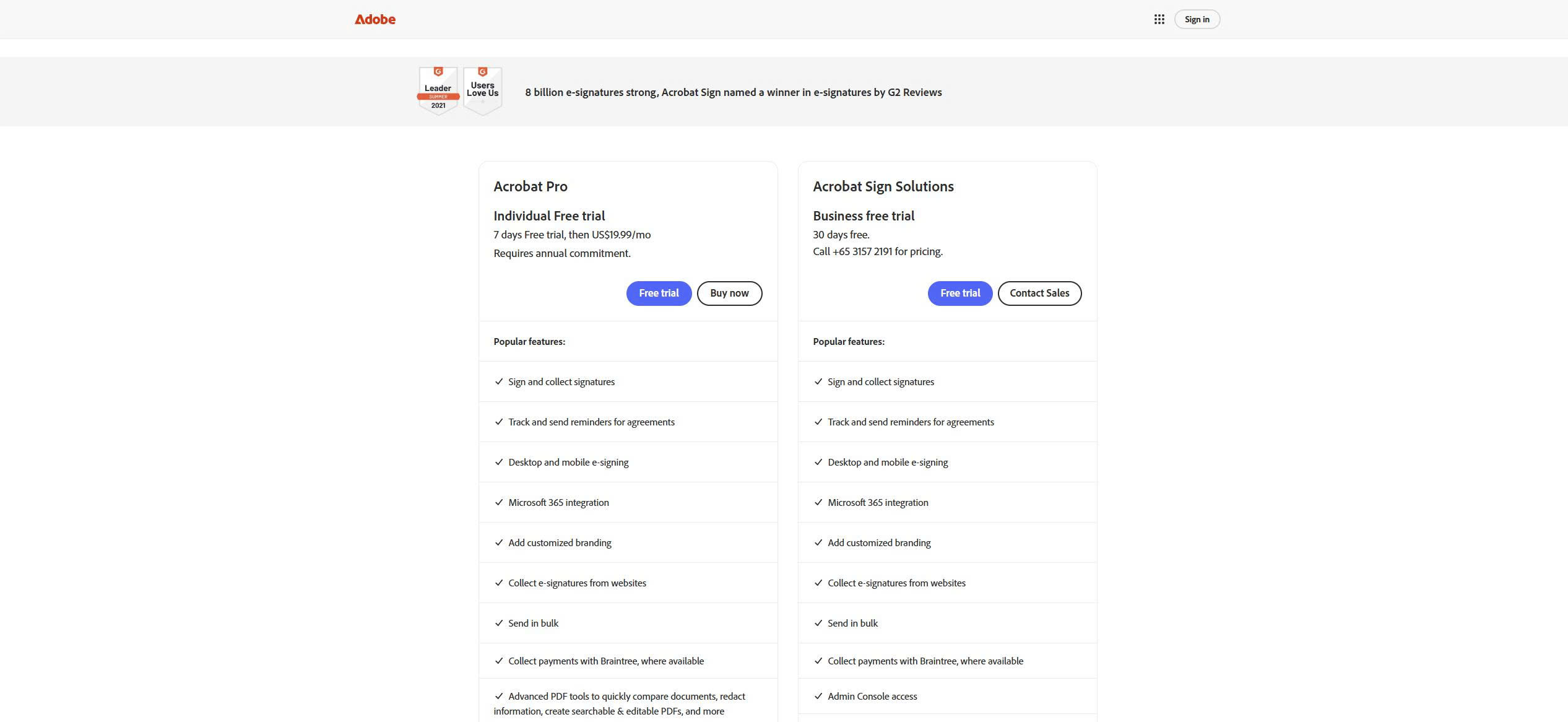
Adobe Sign is priced primarily as a subscription service, either as a standalone product or bundled within Adobe Acrobat and Creative Cloud plans. Individual plans support basic signing needs, while business and enterprise tiers unlock workflow automation, integrations, and advanced compliance features. Pricing reflects Adobe’s positioning as a provider of the document and PDF ecosystem rather than a lightweight signing tool. As usage increases, costs can rise significantly, especially for teams that need advanced approval flows or integrations. Adobe Sign is best suited for organisations already embedded in Adobe’s document infrastructure.
| Plan | Typical Price | Suitable For | Limitations |
| Individual | ~US$13/month | Solo users | Limited workflows |
| Business | ~US$30/user/month | Teams | Higher cost |
| Enterprise | Custom | Large organisations | Pricing not public |
3. PandaDoc
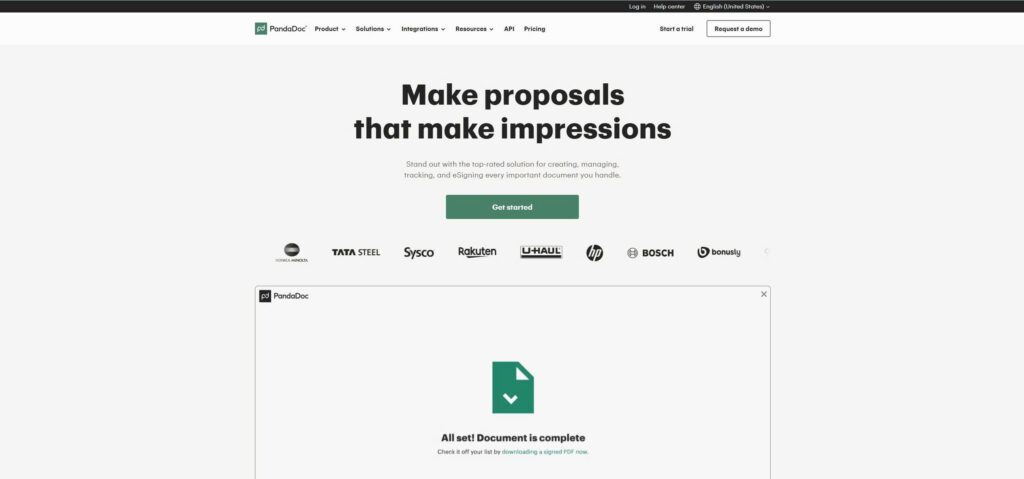
PandaDoc is built for sales-driven document workflows. It combines document creation, proposal management, and electronic signatures in a single system, making it ideal for teams that send quotes, contracts, and agreements as part of their sales process.
Core Features
- Proposal and contract templates
- eSignature
- CRM integrations
- Approval workflows
- Document tracking
Pricing and Suitability
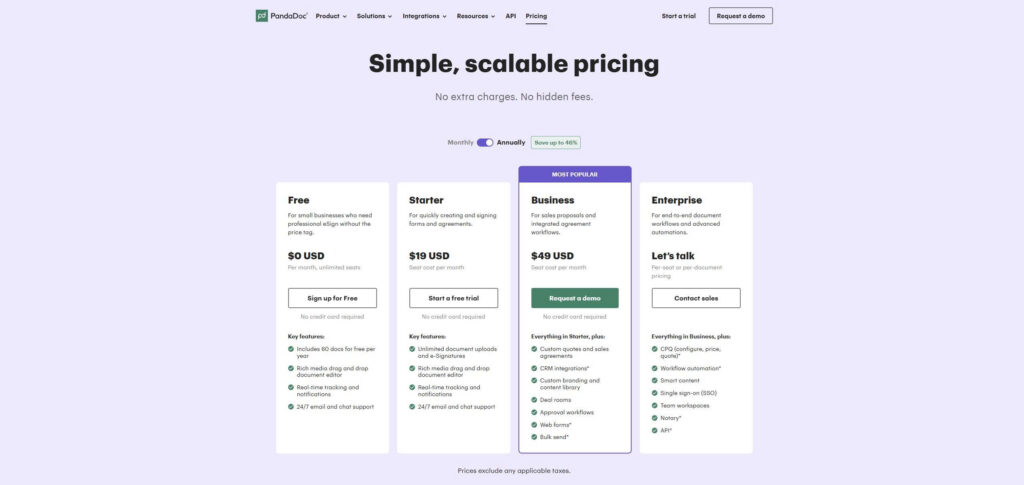
PandaDoc pricing is structured around sales and document automation use cases rather than simple signature volume. Lower tiers provide essential eSignature functionality, but most of PandaDoc’s value appears in higher plans that include templates, content libraries, and CRM integrations. Costs increase as teams require more automation, approvals, and customisation. This makes PandaDoc less suitable as a basic signing tool but highly effective for revenue teams managing proposals and contracts at scale. Pricing should be evaluated based on workflow impact, not signature count alone.
| Plan | Typical Price | Suitable For | Limitations |
| Starter | ~US$19/user/month | Small sales teams | Limited templates |
| Business | ~US$49/user/month | Sales organisations | Higher cost |
| Enterprise | Custom | Large sales teams | Pricing not transparent |
4. Dropbox Sign (HelloSign)
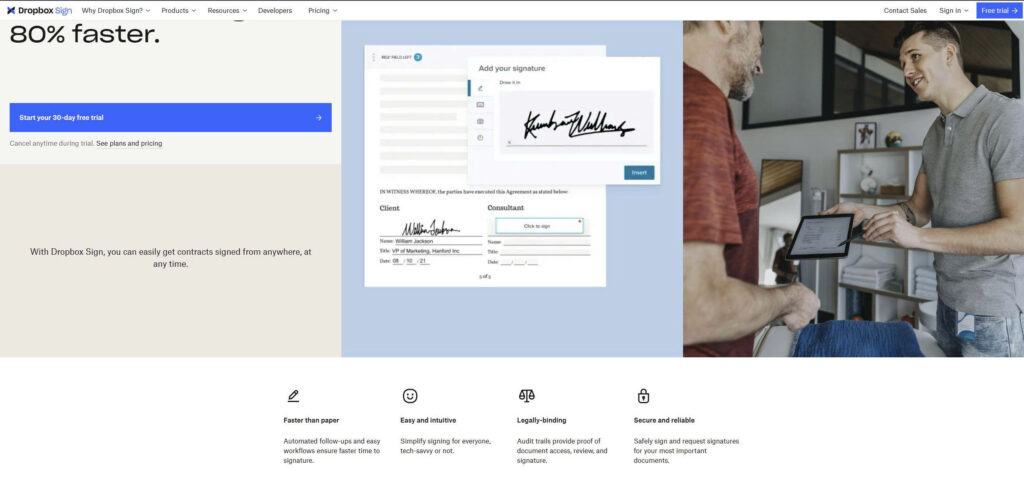
Dropbox Sign is a simple, cloud-native signing platform designed for teams that already use Dropbox for file storage. It focuses on ease of use rather than complex workflow automation.
Core Features
- Simple document signing
- Dropbox integration
- Templates
- Audit trails
Pricing and Suitability
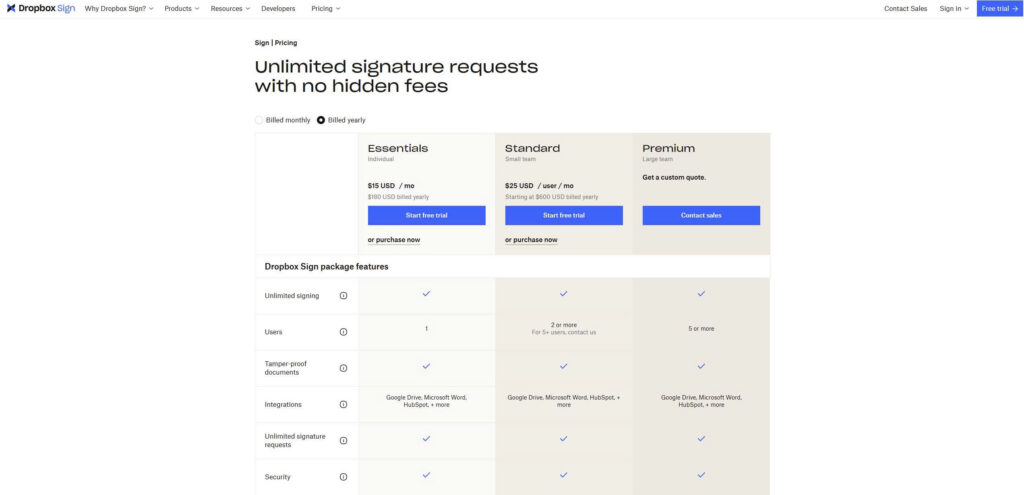
Dropbox Sign offers straightforward per-user pricing, prioritising ease of use over complex automation. Entry-level plans include basic signing and templates, making them accessible to small teams already using Dropbox. Higher tiers unlock branding, bulk sending, and team management features, but advanced workflow controls remain limited compared to enterprise platforms. Pricing is predictable and easier to manage than enterprise tools, but functionality is intentionally narrower. This positions Dropbox Sign as a practical choice for teams prioritising simplicity over custom workflows.
| Plan | Typical Price | Suitable For | Limitations |
| Essentials | ~US$15/user/month | Small teams | Limited automation |
| Standard | ~US$25/user/month | Growing teams | Fewer enterprise controls |
5. SignWell

SignWell is a budget-friendly platform designed for users who need legally binding signatures without enterprise pricing. It offers one of the best free plans for basic document signing.
Core Features
- Free electronic signatures
- Templates
- Audit trail
- Simple workflows
Pricing and Suitability
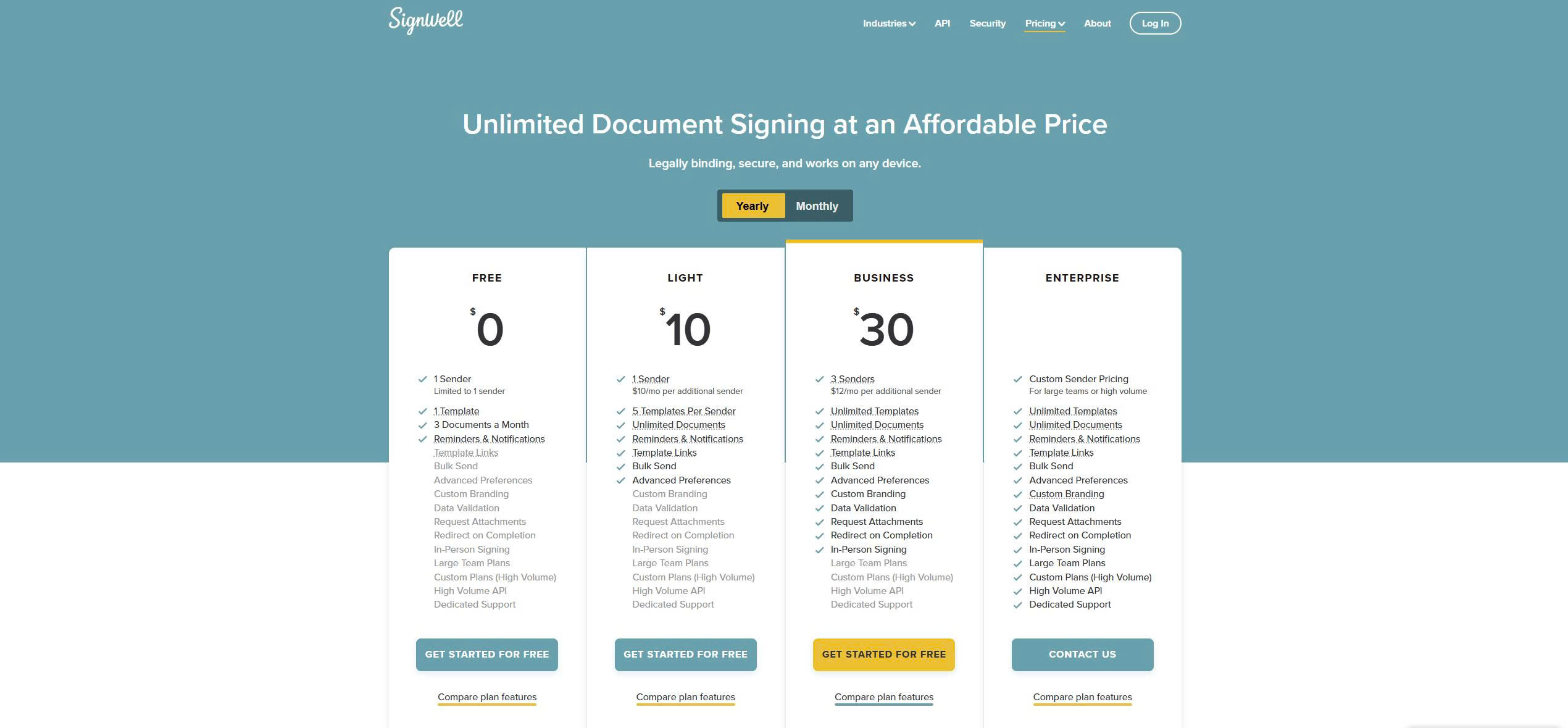
SignWell provides one of the most accessible pricing models in the document signing space, including a genuinely usable free plan. Paid tiers are affordable and designed to scale gradually as small teams grow their signing needs. Limitations primarily appear around automation, integrations, and branding rather than core signing legality. This makes SignWell suitable for SMEs, freelancers, and teams that need compliant signatures without enterprise overhead. Pricing is transparent and predictable, with minimal complexity.
| Plan | Typical Price | Suitable For | Limitations |
| Free | US$0 | Individuals | Feature limits |
| Pro | ~US$10/user/month | Small teams | Fewer integrations |
| Business | ~US$30/user/month | Growing teams | Limited automation |
6. SignNow
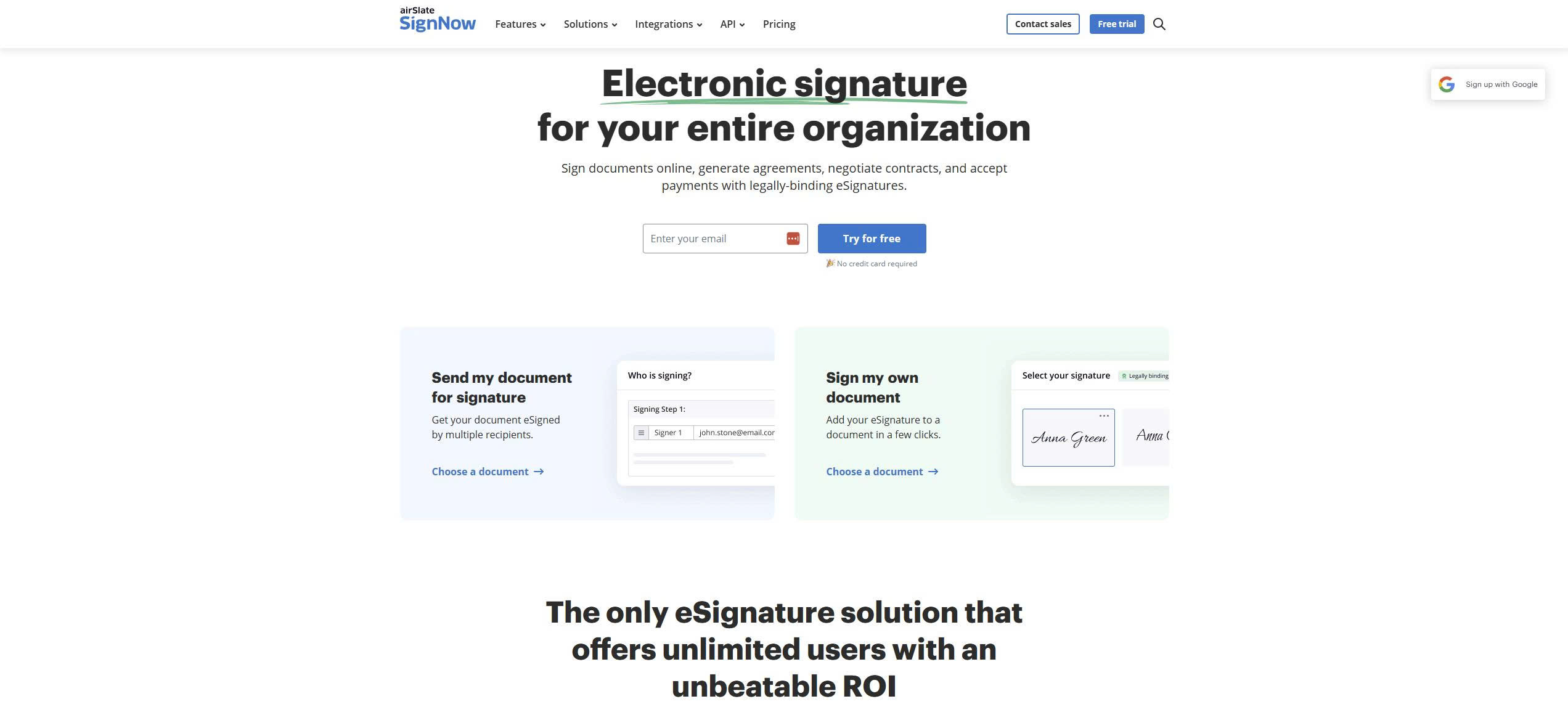
SignNow provides more automation and team management than most budget tools. It is commonly used by SMEs that need bulk sending, templates, and workflow controls without paying enterprise prices.
Core Features
- Bulk sending
- Workflow automation
- Templates
- Team permissions
Pricing and Suitability
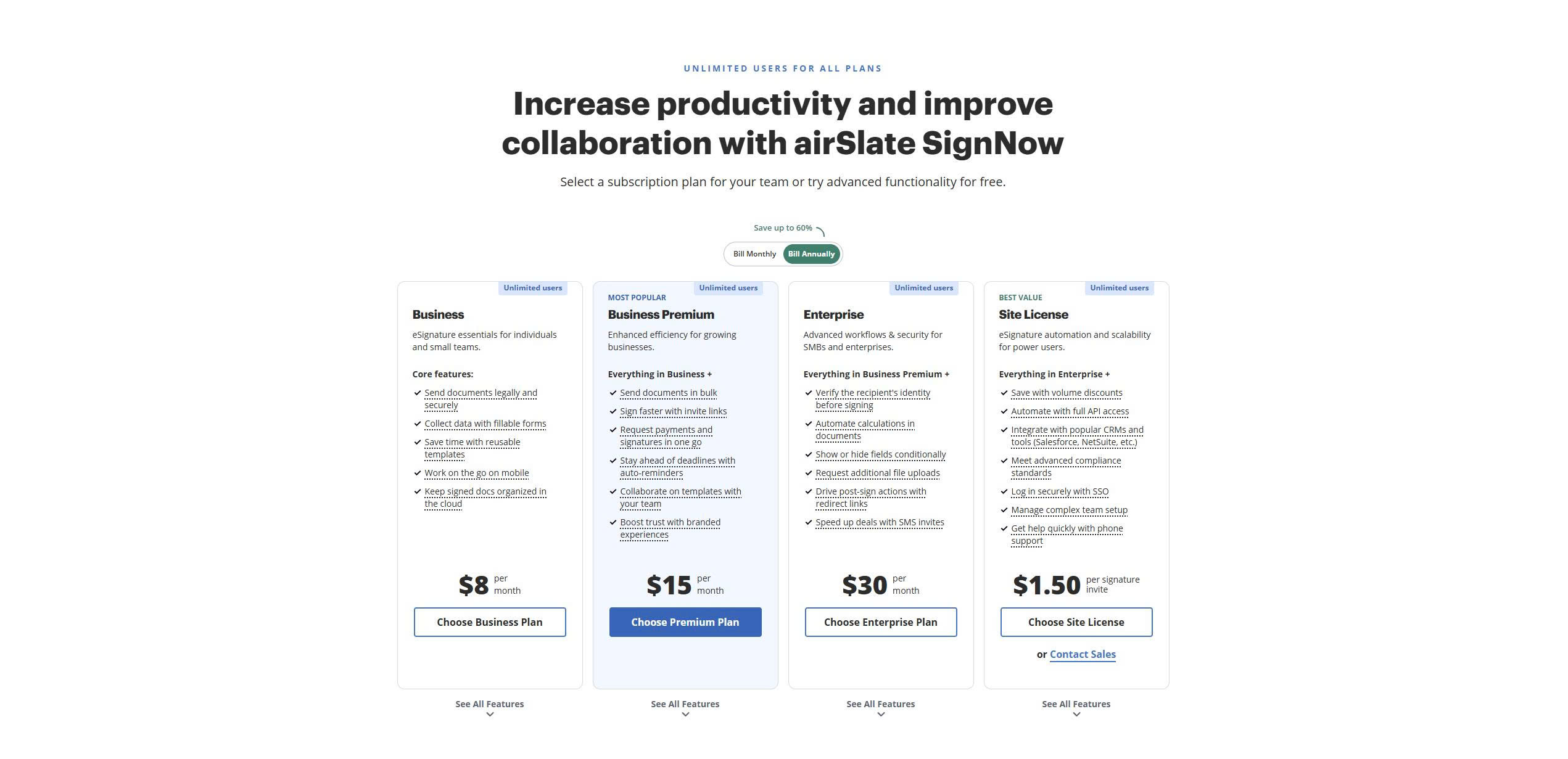
SignNow positions itself between budget tools and enterprise platforms with competitively priced plans that include workflow automation and bulk sending. Entry-level plans are affordable but may require upgrades to unlock advanced templates, team controls, and integrations. Pricing increases as organisations add automation and compliance features, but it remains lower than that of enterprise competitors. This makes SignNow attractive to SMEs that need more than basic signing without paying premium enterprise rates. Teams should review plan limitations carefully to avoid unexpected feature restrictions.
7. DocuSeal (Open Source)
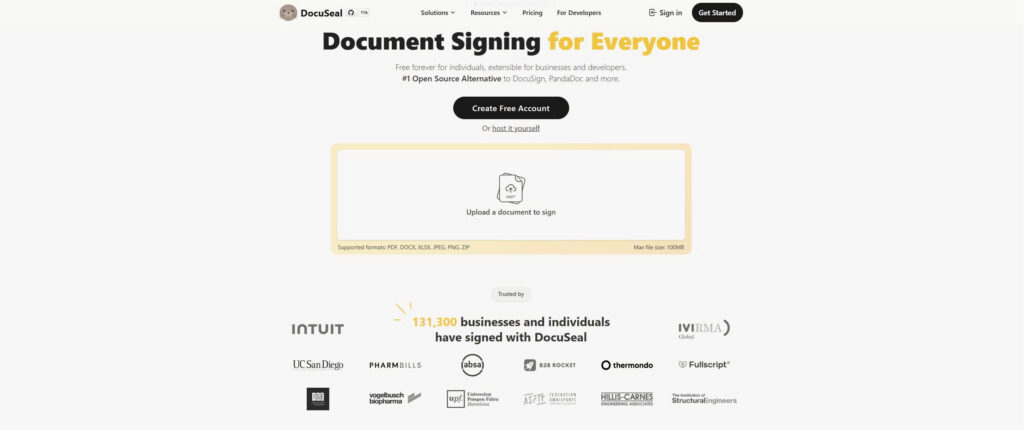
DocuSeal is an open-source document signing platform designed for organisations that want full control over their data. It can be self-hosted, making it suitable for privacy-sensitive or regulated environments.
Core Features
- Self-hosted deployment
- Open-source
- PDF form signing
- Full data control
Pricing and Suitability
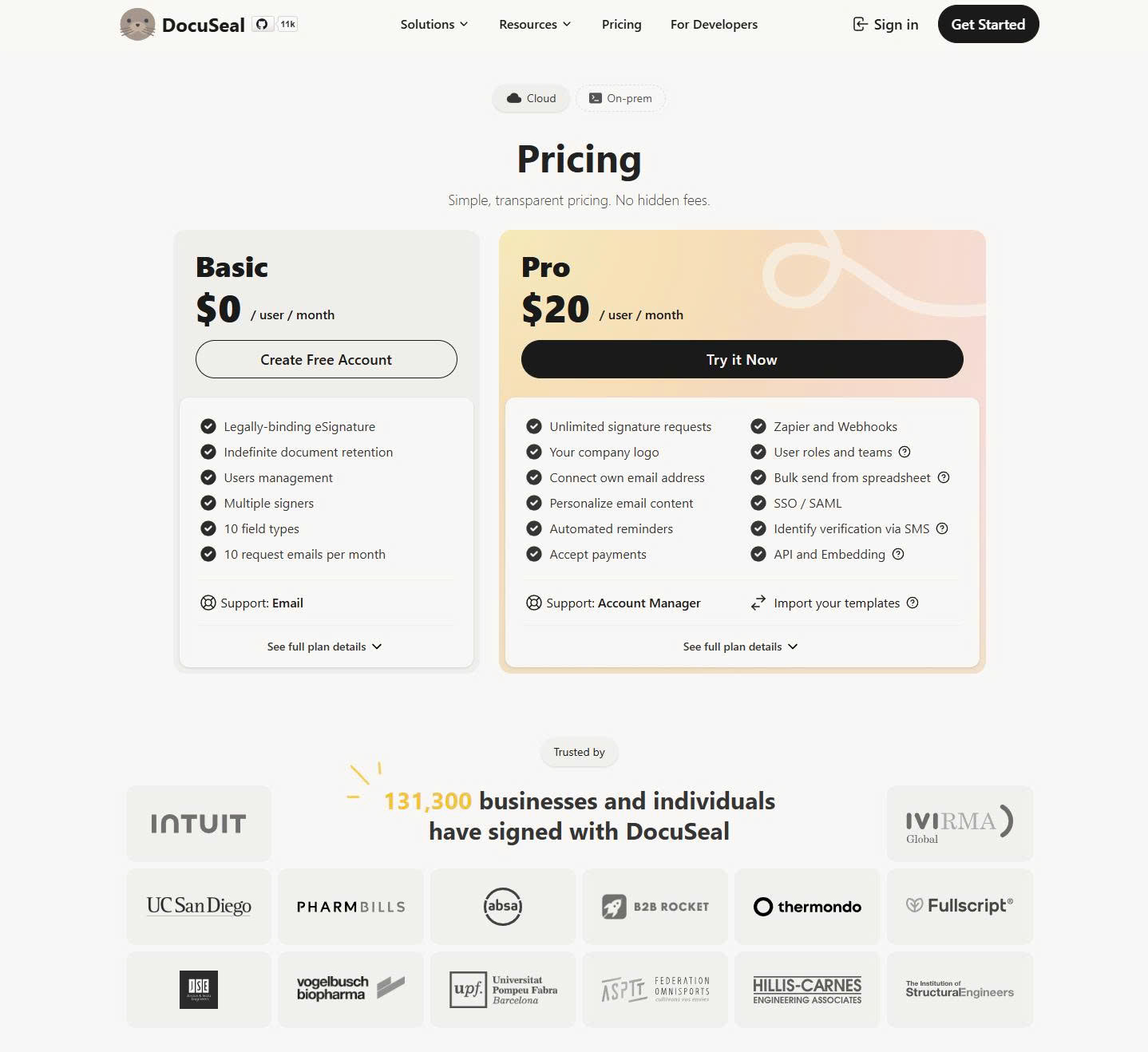
DocuSeal uses a fundamentally different pricing model because the software itself is open source and free to use. There are no per-user or per-document fees, but organisations must cover their own hosting, infrastructure, and maintenance costs. This shifts pricing considerations from licensing to technical resources and internal IT capability. For privacy-focused or regulated organisations, this model offers maximum control over data and workflows. However, it is only suitable for teams comfortable managing their own infrastructure.
| Plan | Typical Price | Suitable For | Limitations |
| Software | Free | Technical teams | Requires hosting |
| Hosting | Your own cost | Privacy-focused orgs | IT management required |
How to Choose the Right Document Signing Tool
The right platform depends on how signing fits into your operations.
- Choose DocuSign or Adobe Sign if you need compliance, audit trails, and enterprise-grade reliability.
- Choose PandaDoc if signing is part of your sales and proposal workflow.
- Choose Dropbox Sign if you want simple signing inside your cloud storage.
- Choose SignWell or SignNow for affordable, legally binding signatures.
- Choose DocuSeal if data control and self-hosting are priorities.
Document Signing Tools — Decision Matrix
| Tool | Best For | Strengths | Limitations |
| DocuSign | Enterprises | Compliance, scale, trust | High cost |
| Adobe Sign | PDF-heavy teams | Acrobat integration | Less sales focus |
| PandaDoc | Sales teams | Proposals + signing | Not just signatures |
| Dropbox Sign | Cloud users | Simplicity | Fewer workflows |
| SignWell | Budget users | Free tier | Limited controls |
| SignNow | SMEs | Automation | UI complexity |
| DocuSeal | Privacy-focused | Self-hosted | Requires IT |
Conclusion
Document signing tools are no longer just about signatures. They control how agreements move, how risk is managed, and how revenue is secured. Whether you need enterprise-grade compliance, sales automation, or a free way to sign legally binding documents, the right platform depends on how documents flow through your business.
Choosing the correct tool means fewer delays, fewer disputes, and faster execution across sales, HR, legal, and procurement.