








AI design tools have become essential for SMEs that want to produce high-quality visuals without relying on large creative teams. These tools help businesses generate graphics, images and layouts at speed, which supports daily marketing, advertising and product design tasks. They also help students and early-stage designers learn more quickly by providing guidance and ready-to-use layouts.
As more people search for tools that simplify visual production, AI platforms continue to expand their capabilities and deliver practical benefits for teams that need consistent, timely content. The sections below break down what AI design tools are and how they support businesses in 2026.
What are AI design tools, and how do they help SMEs in 2026?
AI design tools are software platforms that use machine learning to generate visuals, such as graphics, images, layouts, and UI mockups, from text prompts or sketches. These tools reduce manual design work by automating layout decisions, enhancing images, and producing ready-to-use marketing campaign assets. They help SMEs create content faster, maintain brand consistency and reduce the cost of hiring additional design staff. They also support non-designers who want to produce professional visuals without learning complex design software.
AI design tools help SMEs by speeding up production cycles, supporting multi-channel marketing, enforcing brand guidelines and improving creative output. They offer three main categories that align with Google’s AI Overview signals: AI image and graphic generators, AI UI and web design tools, and AI workflow assistants that help teams plan and produce content. Together, they allow marketing teams to scale their visual output with less time and fewer resources.
Types of AI design tools:
- AI image and graphic generators such as Midjourney, Adobe Firefly, Canva, AutoDraw and Microsoft Designer
- AI UI and web design tools such as Figma AI, Visily, Uizard and Dreamflow
- AI workflow and productivity tools such as ChatGPT and Taskade
AI design tools help SMEs by improving speed, reducing production costs, assisting non-designers and supporting campaign execution across social media, websites and paid channels. These advantages are essential for businesses that need consistent and timely content output.
1. Canva (Magic Studio and Magic Design)

Canva is a design platform that provides AI-assisted tools for quick visual creation, including social media graphics, presentations, videos and marketing assets. Magic Design produces layouts and images from prompts and brand elements, which helps SMEs maintain consistent visuals without a professional design team. Canva is suited for businesses that need rapid content production, team collaboration and easy-to-use templates.
Pricing and Plans
Canva’s pricing structure is designed to support individuals, small teams and growing SMEs that need a steady volume of visual content. Each tier unlocks different levels of branding, collaboration, and AI features, making it easy for businesses to choose a plan that matches their content workload. SMEs often start with Pro for brand kits and Magic Studio tools, then move to Teams once they need shared libraries or approval workflows.
| Plan | Price | Features | Limitations |
| Free | £0 | Basic templates, Magic Design limited features, social graphics | Limited brand kits and advanced AI tools |
| Pro | £12.99 per month | Brand kits, Magic Studio full access, background removal, premium templates | One user licence only |
| Teams | £14.99 per month per user | Collaboration tools, approvals, asset libraries, unlimited folders | Best suited for teams of 2 or more |
| Enterprise | Custom | Advanced security, workflow automation, full AI controls | Custom pricing required |
2. Adobe Firefly and Adobe Express

Adobe Firefly provides image generation, text effects and generative editing features that combine with Adobe Express for graphic creation. Firefly is trained on licensed data, making it safer for commercial use, and SMEs often prefer it for brand campaigns that require compliance and clarity on image rights. Adobe Express offers templates and AI-assisted workflows that help teams produce assets quickly.
Pricing and Plans
Adobe Firefly and Adobe Express offer pricing tiers that help SMEs access brand-safe image generation and professional design tools without adopting the full Creative Cloud suite. Businesses that need simple graphic production can rely on the Express Premium plan, while teams that want deeper creative control benefit from Firefly’s advanced generation and editing features. The pricing structure supports both entry-level use and more complex creative projects.
| Plan | Price | Features | Limitations |
| Free | £0 | Basic Firefly prompts, Adobe Express limited library | Watermarked exports for some Firefly outputs |
| Premium | £9.99 per month | Full Firefly access, generative fill, premium templates, brand kits | Requires Adobe ID, limited storage |
| Creative Cloud All Apps | £59.99 per month | Photoshop, Illustrator, Firefly Pro, advanced editing | Higher cost for small teams |
3. Midjourney

Midjourney is a prompt-based image generator that produces high-quality visuals for social campaigns, concept art, branding ideas and marketing materials. SMEs use Midjourney to create unique images, reducing the need for stock photos. It supports creative experimentation through style prompts and variations, making it a useful tool for marketers and designers seeking distinctive visual assets.
Pricing and Plans
Midjourney provides subscription plans that scale with the amount of image generation a business requires. The platform prices its tiers based on fast hours, which determine how quickly images are produced. SMEs usually begin with the Standard plan to balance speed and flexibility, while design-heavy teams choose Pro or Mega for greater control and higher image volumes. Each tier helps businesses produce distinctive visuals that support branding and marketing.
| Plan | Price | Features | Limitations |
| Basic | £8 per month | 3.3 hours fast generation time, basic prompts | Slower rendering during peak hours |
| Standard | £24 per month | 15 hours fast generation, relax mode | No team features |
| Pro | £40 per month | 30 hours fast mode, stealth mode | Higher cost for single users |
| Mega | £80 per month | 60 hours fast generation | Stealth mode is still limited per hour |
4. Microsoft Designer

Microsoft Designer is a prompt-based design and marketing tool integrated with the Microsoft ecosystem. It generates social posts, ads and marketing visuals from simple instructions and brand assets. SMEs that already use Microsoft 365 benefit from its seamless integration with Teams, Outlook and OneDrive. The tool is built for the rapid production of branded marketing content.
Pricing and Plans
Microsoft Designer’s pricing is tied to the Microsoft 365 ecosystem, which makes it a practical option for SMEs that already use Office applications. Most users can work effectively on the free version, but paid plans unlock improved templates, stronger integration features and wider access for shared teams. Businesses benefit from predictable monthly costs and a simple upgrade path as their content workload increases.
| Plan | Price | Features | Limitations |
| Free | £0 | Basic design creation, text to image, templates | Limited brand tools |
| Microsoft 365 Personal | £5.99 per month | Full Designer access, enhanced templates | Single-user licence |
| Microsoft 365 Family | £7.99 per month | Shared access for up to 6 people | Limited AI controls |
| Microsoft 365 Business Standard | £10.30 per user per month | Full suite integration and advanced collaboration | Requires a business subscription |
5. Figma AI

Figma AI improves UI design workflows by generating layouts, components and prototypes from text prompts. It can convert sketches into structured designs and accelerate early-stage ideation for product ideation. Students and SMEs use it to speed up interface design, reduce repetitive tasks and maintain consistent component libraries across projects.
Pricing and Plans
Figma AI follows a tiered model that reflects how design teams grow. The Professional plan supports freelancers, students and small businesses that want to automate layout generation and component creation. Larger organisations use the Organisation or Enterprise tiers to manage permissions, maintain component libraries and collaborate at scale. This structure ensures businesses only pay for the level of design complexity they need.
| Plan | Price | Features | Limitations |
| Starter | £0 | Basic UI design, limited AI suggestions | No advanced components |
| Figma Professional | £12 per editor per month | Full AI features, component libraries, and versioning | Paid per editor |
| Figma Organisation | £45 per editor per month | Enterprise controls, advanced workflows | Requires onboarding |
| Figma Enterprise | Custom | Full AI access, security, and collaboration features | Custom pricing |
6. Visily
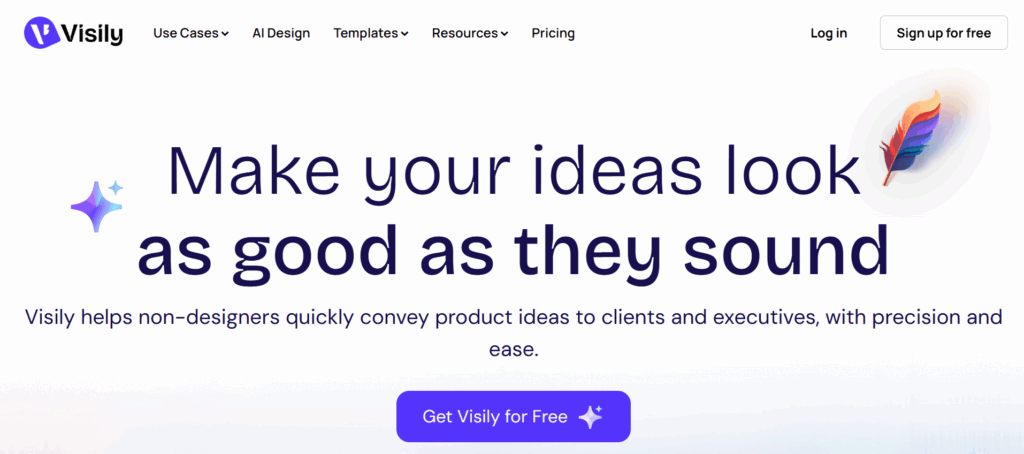
Visily is an AI-powered UI design tool that converts text prompts into app and website mockups. It can generate full pages, flows, and design systems for teams looking to accelerate their product development process. Visily is popular among SMEs, founders, and students who lack professional UI design experience.
Pricing and Plans
Visily’s pricing supports early-stage teams, founders and SMEs that need quick UI creation without hiring additional designers. The free plan is suited for simple prototypes, while the Pro tier introduces collaboration tools and branded outputs. Teams that produce regular product updates often choose the higher tiers for design systems and workflow controls. Each plan is aligned with the frequency with which users generate UI screens.
| Plan | Price | Features | Limitations |
| Free | £0 | Basic AI UI generation, templates, export | Limited components |
| Pro | £12 per user per month | Full AI generation, collaboration, and brand kits | No advanced integration tools |
| Team | £25 per user per month | Workflow features, design systems, permissions | Higher cost for larger teams |
7. Uizard
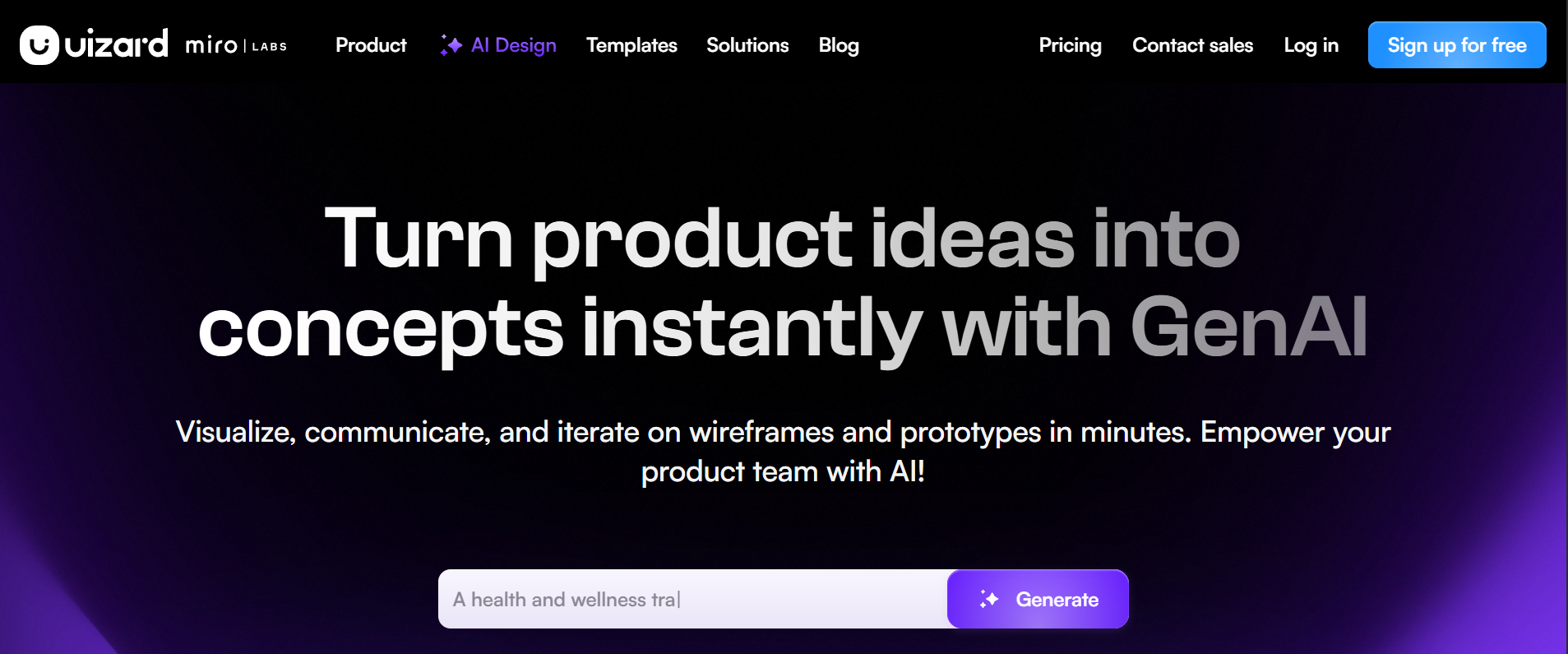
Uizard produces UI screens, mockups and prototypes from short prompts, hand-drawn sketches or screenshots. It helps SMEs and product teams quickly develop early concepts and refine them into workable prototypes. Students and founders commonly use Uizard during early product validation.
Pricing and Plans
Uizard’s subscription options help businesses convert ideas into UI screens at speed. The free tier works well for quick sketches and small experiments, while the Pro plan unlocks better exports and wider template access. Teams that require consistent brand styling or collaborative work rely on the Business tier. The structure gives SMEs a cost-effective way to test product ideas and refine prototypes.
| Plan | Price | Features | Limitations |
| Free | £0 | Basic UI generation, limited templates | Limited export quality |
| Pro | £12 per month | Full templates, AI features, export options | Single user |
| Business | £39 per month | Collaboration, brand kits, and advanced permissions | Higher tier pricing |
| Enterprise | Custom | Full access, SSO, dedicated support | Custom pricing |
Understanding the Functions, Strengths and Plans of AI Design Tools
The seven tools listed in this guide serve different parts of the design workflow, which is why SMEs benefit from understanding how each one supports marketing, branding or product development. Some platforms help teams produce graphics at speed, while others focus on UI design or unique visual generation. The comparison below highlights the core strengths, ideal users and starting prices, giving you a clear view of where each tool fits within a growing business.
Key points covered in the comparison:
- Best use cases such as graphic design, UI prototyping or high-quality image creation
- Strengths that help SMEs reduce design time and improve brand output
- Limitations that matter when choosing tools for long-term use
- Pricing differences that guide teams choosing between free, mid-tier or enterprise levels
- Which tools support marketers, product teams or early-stage founders
The table below summarises the essential factors that help SMEs decide which AI design tools match their workload and design needs.
| Tool | Best For | Strengths | Limitations | Starting Price |
| Canva | SMEs and marketers | Easy to use, high output speed, strong templates | Limited advanced editing | £0 |
| Adobe Firefly | Brand safe campaigns | Licensed model, strong editing features | Higher cost for full suite | £0 |
| Midjourney | Unique visuals | High-quality images, style control | No built-in design editor | £8 |
| Microsoft Designer | Microsoft users | Integrated workflow, fast social content | Limited advanced controls | £0 |
| Figma AI | UI teams and students | Quick prototyping, structured layouts | Paid per editor | £0 |
| Visily | Startups | Fast UI generation, simple interface | Less advanced for complex apps | £0 |
| Uizard | Early stage concepts | Converts sketches to UI instantly | Limited design depth | £0 |
Connecting Visual Design and Video Creation
AI design tools help SMEs produce visual content faster and more affordably, making them essential for teams with limited design resources. Tools such as Canva and Adobe Firefly support day-to-day graphic creation, while Figma AI, Visily, and Uizard enable rapid UI and product prototyping, and Midjourney supports brand differentiation through distinctive, original imagery.
As visual branding increasingly extends into motion and video, these assets also form the foundation for scalable video production, with AI video editing tools efficiently transforming existing designs and concepts into engaging video content. SMEs should select tools based on team size, workflow, design volume, and primary channels, with a typical setup combining different tools to support brand consistency and efficient content delivery across campaigns.